
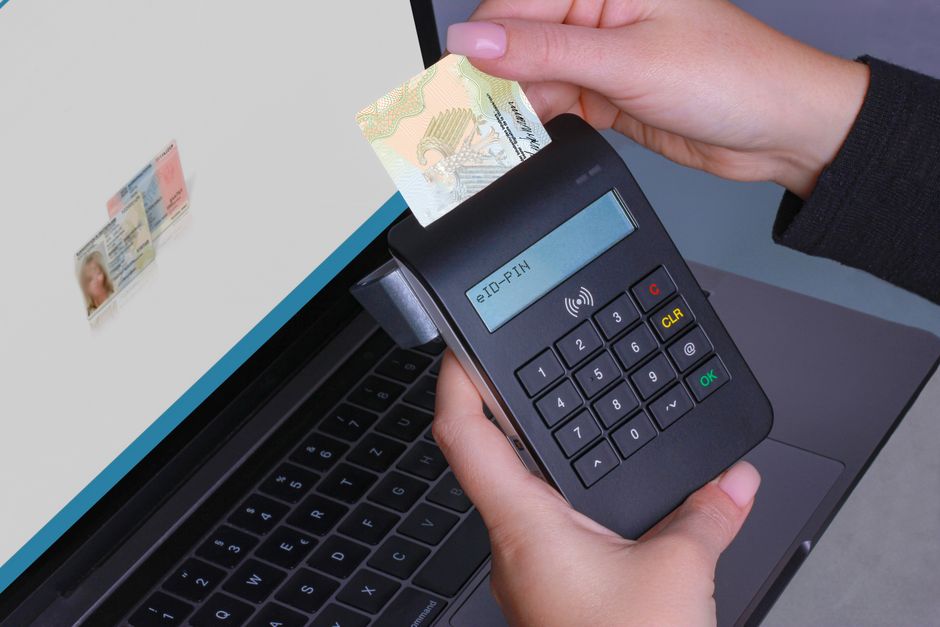
A last-second ID check can turn a winning wager into a lost opportunity.
A bettor spots a favorable live line, taps to lock a parlay, and an ID verification modal freezes the app as the market swings. By the time verification clears, the line worsened or the window closed — the bet is gone, a promo expires, or funds are forced out.
Top NFL Offshore Sportsbooks for October 2026

BetUS

BetNow

MyBookie

Bet105

BUSR Sports

Everygame Sports

BetOnline

BetWhale

BetAnything

Xbet

Bovada

Bookmaker
These moments add up to churn. Practical fixes follow: faster KYC, pre-verification, and backup paths to stop the clock.
- Live odds move in seconds; 30–90s delays often lose advertised lines.
- Some KYC vendors decide in under a minute.
- Pre-verification and biometrics cut last‑second friction.
Spot and fix client-side ID‑check hangups
Common client-side symptoms are easy to miss: spinning or ‘pending’ UIs, forms that never advance, repeated automatic resubmissions, and unresponsive upload buttons. These usually mean the browser is waiting on a blocked request, retrying the same payload, or failing before reaching the server.
Five-minute fixes — try in this order
- Hard refresh and resubmit (30 seconds). Press the browser refresh and re-submit the ID. Many failures are transient or stuck in an intermediary state.
- Try incognito or another browser (1 minute). Bypasses extensions, stale cookies, and cached scripts — a high-probability quick check.
- Check file size and format (1 minute). If uploads stall, verify images/PDFs meet limits and accepted types; reduce resolution if needed.
- Disable extensions/adblockers (1 minute). Extensions can block verification endpoints or inject scripts that break flows.
- Clear site data (cookies/localStorage) (1–2 minutes). Remove stale tokens or partial state that cause repeated retries.
- Confirm network stability (30 seconds). Switch Wi‑Fi to a mobile hotspot or rejoin network; unstable connections cause long waits and retries.
If comfortable reading the browser console, scan for JavaScript errors or failed network requests; look for repeated POSTs or 4xx/5xx responses. Start at the top of the list — refresh and incognito produce the most wins fastest.
Hard refresh and try incognito first — they resolve most client-side hangs and avoid unnecessary troubleshooting.
Five‑minute camera & permission checklist
-
Verify app permissions
Open device settings, grant Camera and Storage/Photos access, then force‑close and reopen the verification flow so the change takes effect.
-
Use the rear camera and clean the lens
Select the rear camera for higher resolution. Wipe the lens with a microfiber cloth to remove smudges that break autofocus.
-
Fix autofocus and framing
Tap the ID area on screen to lock focus, hold the device steady, and keep the document filling the frame with a small margin on all sides.
-
Optimize lighting and reduce glare
Place the ID in soft, even light (near a window) and avoid direct flash. Tilt the card slightly to let reflections fall away from the camera.
-
Prepare file and re‑upload
Capture as a clear JPEG, crop to edges if allowed, confirm file size meets limits, then upload on a stable connection or retry after restarting the app.
Short rapid checks before a second capture:
Rear camera on highest resolution Tap to focus on the text or portrait area Hold steady (rest elbow on a surface) Diffuse light and angle the card to avoid glare Close background apps and retry upload on Wi‑FiFollowing these steps usually produces an accepted image within one minute.
Common file-handling myths and exact fixes
Moderate, high-quality compression is usually fine; aggressive lossy compression that blurs text or the photo will fail checks.
Automated OCR and face-matching need crisp edges and readable text. Fix: re-export as high-quality JPEG/PNG (80–95% quality) or use PDF with embedded images; keep file ≤5MB but avoid heavy artifacts.
Over-cropping that removes document edges, holograms, or the MRZ will trigger rejections.
Verification algorithms expect whole-document context. Fix: include full document with small margins, not just the portrait; ensure corners and all text are visible.
Many systems reject expired documents automatically or flag them for manual review.
Expiry is a discrete data field or visual cue. Fix: check the expiration date before submitting; if expired, request a secondary ID or a live selfie with a supporting proof.
Validation requirements differ by country and risk profile—some need back-of-ID images, others require specific document types.
Local rules govern acceptable IDs and data points. Fix: implement quick jurisdiction checks and present tailored upload instructions (e.g., require back image or certified ID types).
Accepted formats: JPEG, PNG, PDF. Prefer JPEG for photos, PDF for scans.
Resolution: aim for ≥1000 px on the longest side; avoid upscaling.
Size: <5 MB but keep quality high (JPEG 80–95%).
Lighting/clarity: no heavy filters, glare, or motion blur; text must be legible.
Framing: include full document with small margins; show front and back if required.
Dates: ensure issue/expiry dates are readable; rotate image upright.
Platform-side: automated vs manual, wait windows, queues, and escalation
How to tell if a verification is automated or moved to manual review?
Automated checks usually finish in seconds or show instant approval; manual reviews appear as “under review,” “pending human review,” or have a note in the support log. Fast action: re-upload a clear, uncropped ID and a fresh selfie (same device), then attach timestamps. If time-sensitive, raise a priority ticket or use live chat; for immediate contact try contacting live support for verification help.
What are realistic wait windows during normal and peak times?
Automated passes: seconds–minutes. Routine manual reviews: typically 1–24 hours; during high load expect 24–72 hours. Fast action: submit complete supporting documents and note the affected bet IDs when opening a ticket or using chat to request expedited handling.
Are queue positions or wait times visible to the platform user?
Some systems show an estimated wait or queue status, but many only present a generic “in review” label. Fast action: capture the status screen and timestamp, then upload the screenshot to the support portal and ask for a queue position or ETA via chat.
Which supplemental documents most speed resolution?
Provide a government ID (front/back), a matching selfie, and a recent proof-of-address (utility or bank statement). Fast action: use PDFs or high-resolution JPEGs, avoid edits, include file names and upload via the secure support form or chat attachment.
How to escalate when a pending check blocks an imminent bet?
Open a priority verification request, include bet IDs, desired stake window, and all supporting files. Fast action: call or live-chat support and request a manual fast-track or temporary allowance; document the conversation in the ticket for follow-up.
Gather before opening a ticket:
Clear photos/PDFs of ID (front/back) and a fresh selfie. Proof-of-address dated within 90 days. Bet IDs, timestamps, device/browser, and a status screenshot.When contacting support: paste filenames and timestamps into the message and request priority handling if bets are at risk.
KYC/account‑flag symptoms and required documents
Accounts often stop at review for a few repeat reasons:
- Name/address mismatch — ID name differs from the billing or utility name.
- Duplicate accounts — multiple profiles or email/phone reuse raise fraud flags.
- Sanctions / PEP hits — screening matches a sanctions list or politically exposed person.
These holds exist for specific compliance reasons: identity proofing (KYC), anti‑money‑laundering (AML) screening, and sanctions/terrorist‑financing controls. Matching source documents to transaction and profile data reduces regulatory risk and prevents fraud.
Priority list of supporting documents and preferred formats:
- Government photo ID (passport, national ID, driver’s license) — color photo, front and back, JPG/PNG/PDF, unobstructed, readable MRZ if present.
- Proof of address (utility bill, bank statement) — dated within 3 months, shows full name and address, PDF or high‑res JPG.
- Payment evidence (bank statement, masked card screenshot, e‑wallet transaction) — shows name and last 4 digits or transaction used.
- Account linkage or declaration — screenshot of external account profile, or a signed, dated statement explaining duplicates or legal name changes.
- Sanctions clarifiers — passport + proof of nationality and any name transliterations.
Label files clearly (e.g., lastname_id_front.jpg) and include front/back images when applicable.
Prefer color photos and PDFs.
Use clear filenames (lastname_doctype.jpg).
Include translations or a notarized declaration for name changes.
Provide front and back of IDs and a close‑up of expiry/date fields.
Pre-match verification checklist
-
Pre-upload documents
Upload a government ID and proof of address 30–60 minutes before the event. Use sharp, full-frame photos and ensure the account name matches documents. See instant account setup tips for faster acceptance.
-
Confirm payment method
Make sure the card or e‑wallet shows the account holder’s name and has sufficient funds. If required, upload a recent statement or a payment screenshot to avoid holds.
-
Test camera and permissions
Run a quick selfie and document capture in the app or browser to confirm autofocus, flash, and camera permissions. If mobile capture fails, try desktop upload or a different browser.
-
Validate account details
Check full name, date of birth, and address fields for typos or abbreviations that trigger manual review. Close or merge duplicate accounts if present.
-
Prepare fallbacks
Keep an alternate ID, scanned PDFs, and support contact info ready. If verification stalls, switch networks, use a desktop upload, or open the platform’s live chat.
Do verifications well before peak windows. Reviews are usually faster outside major match build-up and late-night spikes.
Typical faster windows: early morning or several hours before the event. * If time is tight, use already-verified payment methods and desktop uploads to reduce manual steps. *If delays occur, contact support with document filenames and timestamps for quicker escalation.
Fast action plan and escalation ladder
- Time cutoffs: <10 minutes — switch to a pre‑verified book; 10–30 minutes — rapid fixes + chat; >30 minutes — escalate but consider waiting.
- Escalation ladder: live chat first, then email with the chat transcript and a case ID request, finally file with the regulator after 48 hours of no meaningful response.
- Carry copies: keep screenshots, original file names, timestamps, and payment receipts ready to paste into chats or emails for faster handling.
Three quick steps under time pressure. 1) Run immediate five‑minute fixes (refresh, reupload, try device/incognito, swap camera). 2) If still blocked, open live chat and request a case ID; if unresolved within 30 minutes, send an email with the case ID and all supporting files. 3) If no substantive response in 48 hours, escalate to the regulator.
As a rule of thumb, if less than 10 minutes remain before a bet must be placed, use a pre‑verified alternate sportsbook rather than waiting; if the price or promo is vital, switch sooner. See related guides for geolocation/verification troubleshooting and vetted alternate books to decide whether to wait or move.
Top NFL Offshore Sportsbooks for October 2026
BetUS
BetNow
MyBookie
Bet105
BUSR Sports
Everygame Sports
BetOnline
BetWhale
BetAnything
Xbet
Bovada
